


Simple Voice Recorder
4.4609.00 Reviews
App Specs
- Version
- 6.1.3
- Updated On
- License
- Free
- Downloads
- 5,000,000+
- Developer
- Simple Mobile Tool
- Categories
- Music & Audio
- Platform
- Android, iOS
Screenshots
 Analysis by AppCompare
I use a voice recorder most when my hands are busy or an idea arrives at the wrong moment, and Simple Voice Recorder suits that quick-capture role. It keeps the main job easy to understand: open the app, start a recording, and return to the file when I need it. That simplicity is useful, but the app works best when I treat it as a dependable capture tool rather than a full audio-production or transcription suite.
A good fit for quick capture, not every audio task
This is an Android app in the music and audio category, developed by Simple Mobile Tool. It is free to install, rated for Everyone, and has a 4.5 average from around 46,000 ratings, with more than a million installs. The current version is 6.1.1 and requires Android 6.0 or later. In-app purchases are available, ranging from $0.99 to $99.99 per item, so I would check the purchase details before choosing anything beyond the free experience.
I’d recommend it to someone who wants a straightforward place for spoken reminders, rough ideas, or recordings they plan to listen to later. I would not choose it as my main tool for editing sound, producing a podcast, or turning speech into searchable text. Those jobs call for more specialized apps. The strength here is reducing friction between thinking “I should save this” and actually pressing record.
Make the recording habit useful
A small routine makes a basic recorder far more useful: start with a short, descriptive filename, record the thought in one clear pass, then rename it if the first label was rushed. I find that naming files by subject rather than by vague labels such as “memo” makes later searching through a list less frustrating. If I am collecting several related thoughts, I also say the topic at the start of the audio; that way, even a file with an imperfect name is easier to identify when played back.
For a realistic everyday example, imagine I’m walking home and remember a change I need to make to a project. I can capture the key point in a brief recording, then rename it when I’m somewhere I can focus. Later, I can share the recording with myself or another person if that suits the task. This is more reliable than assuming I’ll remember the thought, but it is not a substitute for a written task list when I need a searchable, editable checklist.
Getting Started with Simple Voice Recorder
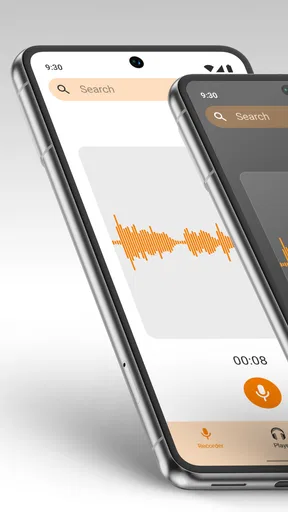
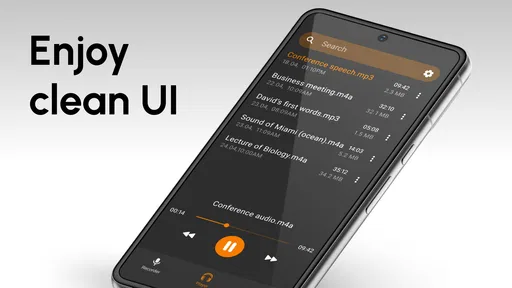
First off, downloading and setting up Simple Voice Recorder was a breeze. I found it on both the Google Play Store and the Apple App Store. A quick tap, and it was ready to roll. No lengthy sign-ups or unnecessary permissions - just the basics, which I really appreciated. The interface? Clean and minimalistic, which makes it super easy to navigate even if you’re not tech-savvy.
Features That Stand Out
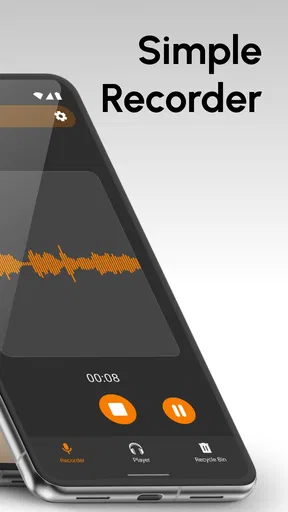
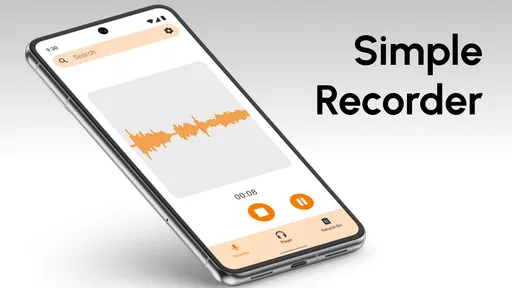
Let’s talk about the features because that’s where this app really shines. You hit that big red button, and boom - you’re recording. It’s intuitive, no frills attached. What I really loved was the ability to pause and resume recordings. This feature is a lifesaver during interviews or lectures. You don’t want to record the silence, right?
Worth Reading Before You Choose

EA SPORTS FC Mobile 26 Is a Bigger Football Game, but It Takes Time

Flipboard Shows What News Apps Must Do Beyond the Feed

Switching to Android Auto Means Rethinking Your Driving Routine

Google Calendar Makes a Crowded Week Easier to Manage

Ludo King Makes the Most of the Minutes Between Plans

Baby Panda World Brings Quick Play to Modern Phones, but Its Game Library Feels Busy
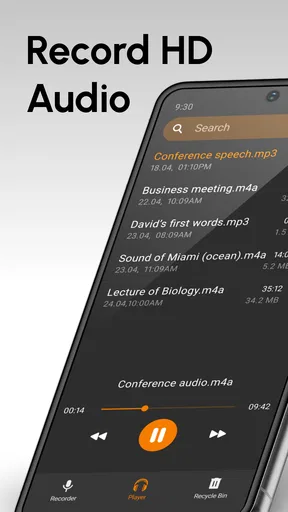
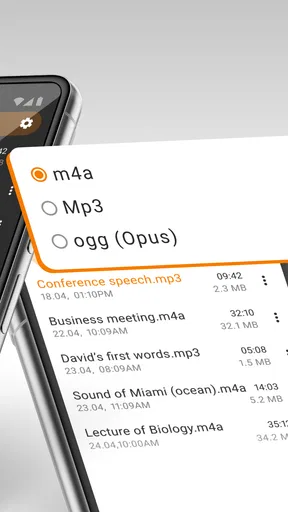
The app also lets you choose the quality of your recordings. Whether you need crystal-clear audio or something that saves a bit of storage, you’ve got options. And speaking of storage, it’s easy to manage your files. You can rename them, share them, or even delete them with just a few taps.
Performance and Usability
Now, performance-wise, I didn’t encounter any hiccups. The app runs smoothly, and recordings are saved promptly without any lag. I’ve been using it on an older Android model, and it works just fine. Battery consumption is minimal, which is a big plus when you’re out and about all day.
One neat feature is the app’s integration with cloud services. You can automatically upload your recordings to Google Drive or Dropbox, making it super easy to keep your files backed up and accessible from anywhere. This is great for those of us who are a bit scatterbrained and forget to back things up regularly.
Choose settings for the situation
Recording quality is one of the few decisions worth making before a regular session. For a quick personal reminder, a smaller file may be more practical; for speech you expect to revisit carefully, a higher-quality setting is the safer choice. I would not change settings reflexively for every memo. Instead, I’d pick a sensible default for ordinary voice notes and adjust it when the recording matters enough to justify using more storage.
Before an interview or class, I’d also make a short test recording and play it back. That simple check tells me whether the phone is picking up my voice clearly in the room and whether the selected quality is adequate. It is a better safeguard than discovering after a long conversation that the phone was too far away or competing with background noise. The app can capture sound, but placement and a quiet enough environment still matter.
Automatic cloud uploading can reduce the chance of losing an important file, but it is worth thinking about what you record and where you want it stored. For personal ideas, automatic backup may be convenient. For sensitive conversations, I’d consider whether cloud storage fits my needs before enabling it, and I’d avoid recording anyone without appropriate consent. A recorder makes capture easy; it does not make every recording appropriate.
Faster patterns without extra complexity
The quickest workflow is to decide in advance what the recording is for. If I’m collecting a fleeting idea, I keep it short and say the central point first. If I’m recording a longer discussion, I pause during breaks rather than letting stretches of silence build up, then resume when the conversation returns. That makes playback less tedious and keeps the recording focused, without requiring an editing session afterward.
I also find it useful to separate capture from organizing. In the moment, the priority is getting the words down; when I have a spare minute, I can rename, share, or delete the file. Trying to create a perfect label while someone is speaking is a needless distraction. For recurring work, a consistent naming habit—topic first, then a brief detail—helps make a list of recordings easier to scan. It is a modest practice, but it matters more as the collection grows.
For a student, that could mean recording a lecture and adding a clear topic name afterward, then listening back to a difficult explanation rather than replaying the entire class. For someone who interviews people, a brief spoken identifier at the beginning can help distinguish one conversation from another. I would still take written notes for names, figures, or follow-up actions: audio is useful context, but it can be slower to review than a few carefully written points.
Where a simple recorder reaches its limits
Compared with the recorder already included on many phones, this app’s appeal is its direct, focused approach and its file-management and quality choices. If your built-in recorder already handles your needs comfortably, switching may not change much. Compared with a dedicated transcription service or audio editor, however, a basic recorder is intentionally narrower: it gives you audio to keep and share, not a polished transcript or a finished production.
That distinction matters for meetings. Recording can help me revisit wording or clarify a point, but it does not automatically turn a long session into decisions, assignments, or searchable notes. I would pair it with a written summary if I need those outcomes. Likewise, a journalist working in a noisy location may need a more specialized microphone setup or recording workflow; this app alone cannot overcome poor acoustics or a phone placed too far from the speaker.
There is also a practical storage trade-off. Higher-quality audio can be preferable when every spoken detail matters, but longer files take more room than brief memos, and a growing archive needs occasional attention. I’d remove recordings I no longer need and keep important ones backed up. If you record frequently, checking your chosen quality and backup routine early is more sensible than waiting until storage or organization becomes annoying.
Real-Life Applications
So, how have I been using this app in real life? Well, for starters, it’s great for capturing those random ideas that pop into my head at odd times of the day. It’s like having a little personal assistant who never forgets. I’ve also used it for recording meetings, and it’s been a game changer. No more scribbling notes frantically and missing half of what’s being said.
For students, it’s a fantastic tool for lectures. You can focus on listening rather than note-taking, knowing you’ve got everything recorded to revisit later. And for journalists or anyone who conducts interviews, it’s a must-have. The clarity of the recordings ensures you don’t miss a single word.
Who should use it—and who should look elsewhere
I think it is most useful for people who value a low-effort recording process: students reviewing spoken explanations, busy people saving thoughts, or anyone who needs a straightforward audio file to share. The pause-and-resume control, adjustable quality, and simple file actions support that kind of repeatable routine. The app has been available since March 30, 2020, and its uncomplicated purpose remains its main attraction rather than a promise of advanced audio tools.
I would skip it if my first requirement were automatic transcription, detailed editing, studio-style controls, or an organized system for turning recordings into tasks. I would also think twice before relying on any phone recorder as the only record of a high-stakes conversation. Test the setup, keep a backup when the audio matters, and use written notes for details that need to be found quickly. Those habits are more valuable than expecting a simple recorder to solve every part of an audio workflow.
Final Thoughts
In a world where apps can get overly complicated, Simple Voice Recorder stays true to its name. It’s straightforward, effective, and reliable. Whether you’re using it for professional purposes or just to keep track of your random musings, it’s a handy tool to have on your smartphone.
If you’re looking for a no-nonsense voice recording app that won’t let you down, give this one a whirl. Trust me, once you start using it, you’ll wonder how you ever managed without it. So, go ahead, download it, and let your voice be heard!
My practical verdict
I’d use this as a convenient capture tool, especially when the alternative is trusting myself to remember a useful thought later. Its best results come from a few repeatable habits: test the sound before an important session, pause during long breaks, choose recording quality intentionally, and give files names that make sense afterward. Those choices turn a simple button into a more dependable personal workflow.
For everyday voice memos, the balance is appealing: it is free to install, easy to approach, and focused on saving and managing recordings. The available in-app purchases mean I’d review any optional purchase before proceeding, rather than assuming every feature or upgrade is included at no cost. If you want a recorder rather than an all-in-one audio workspace, I think it is a sensible option; if your work depends on transcripts, editing, or advanced capture controls, a more specialized alternative will suit you better.
Pros
- Easy-to-use interface for quick recordings.
- High-quality audio captures every detail.
- Lightweight app
- saving device storage.
- Supports multiple audio formats.
- Allows background recording seamlessly.
Cons
- Limited editing features within the app.
- Ads can be intrusive during use.
- No cloud sync for recordings.
- Minimal customization options available.
- Requires manual file organization.
FAQs for Simple Voice Recorder
What features does Simple Voice Recorder offer?
Simple Voice Recorder offers a user-friendly interface with essential features such as high-quality audio recording, easy playback, and file management. Users can pause and resume recordings, rename files, and share them via email or social media. It's designed for quick, hassle-free voice recording.
Is Simple Voice Recorder available for both Android and iOS?
Yes, Simple Voice Recorder is available for download on both Android and iOS platforms. Users can find it on the Google Play Store and the Apple App Store, making it accessible for a wide range of devices and ensuring cross-platform compatibility.
Does Simple Voice Recorder require internet access?
No, Simple Voice Recorder does not require an internet connection to record audio. However, using features such as sharing recordings via email or social media will need internet access. This makes the app suitable for offline use where connectivity might be limited.
How does Simple Voice Recorder ensure audio quality?
Simple Voice Recorder records audio in high-quality formats, ensuring clear and crisp playback. Users can choose between different audio formats and bitrates to balance quality and file size. This flexibility allows for optimal recording based on individual needs and storage capacity.
Are there any in-app purchases or ads in Simple Voice Recorder?
Simple Voice Recorder is available as a free version with ads. However, there might be an option to upgrade to a premium version through in-app purchases. The premium version usually offers an ad-free experience and additional features, enhancing user convenience and functionality.


